 DIGITALNAUTS
After scanning a barcode or QR code, you may want to check the result again later. Product codes, management numbers, tracking numbers, and URLs can be troublesome to copy into notes every time, and manual copying can lead to mistakes.
Using an app that saves barcode scan history makes it easier to review scan results later.
When Scan History Helps
- You want to search for a product barcode later
- You want to keep a delivery tracking number
- You want to check a QR code URL before opening it
- You want to keep equipment or inventory numbers as a work record
When scan results are saved in history, you can reduce the number of times you need to scan the same barcode again.
How to Save History with Barcode Reader X
With the iPhone app Barcode Reader X, you can save scanned barcode and QR code results in history.
The steps are simple.
- Scan a barcode or QR code
- Check the scan result
- Open the history screen to review past results
- Copy, share, or export the result if needed
The history list lets you review multiple scan results in one place.
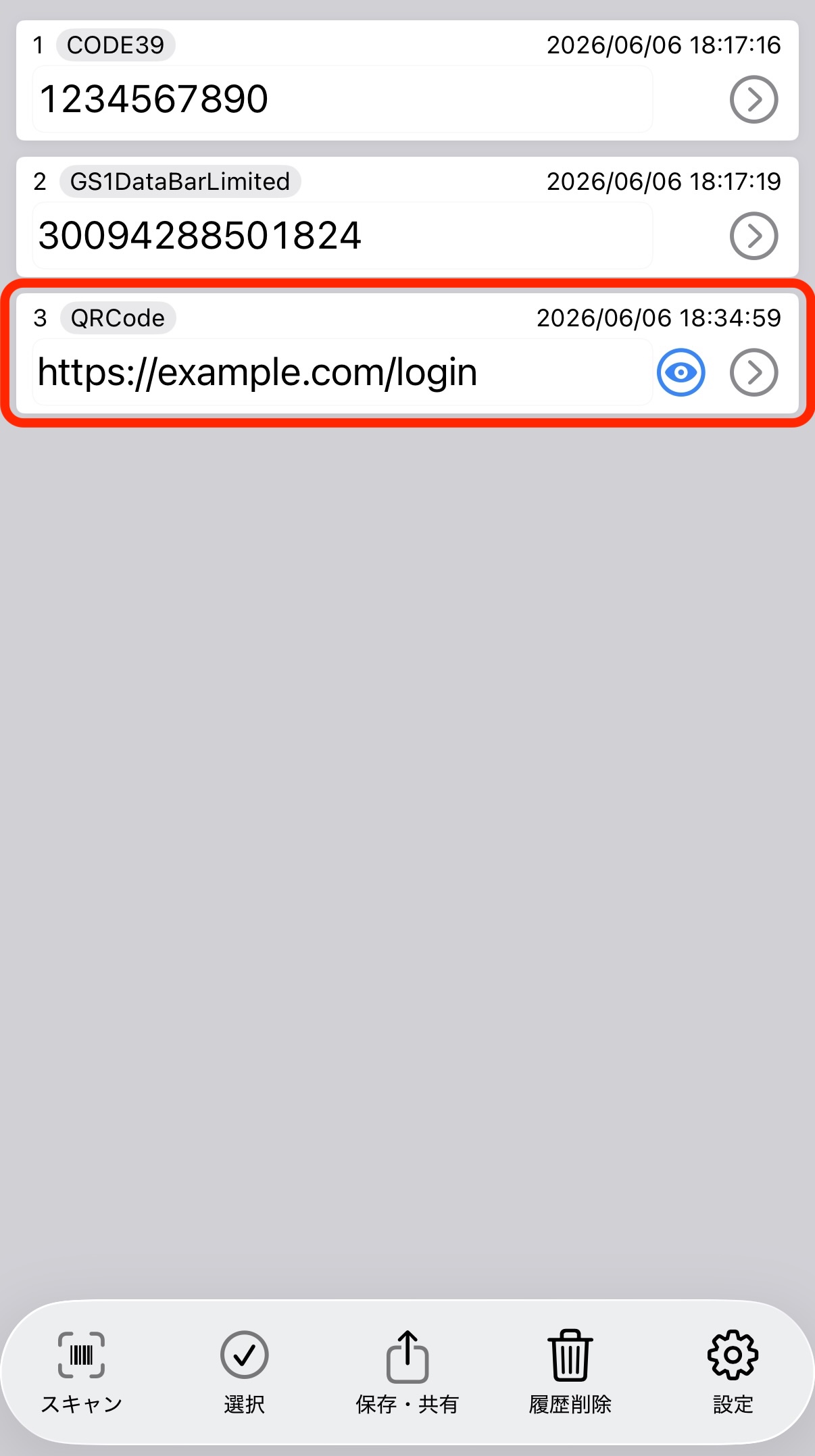 Scan history list
Check Details Before Using the Result
From history, you can open the detail screen and check the scanned value before taking action. If the result is a URL, review the text first and check whether the domain looks unusual before opening it.
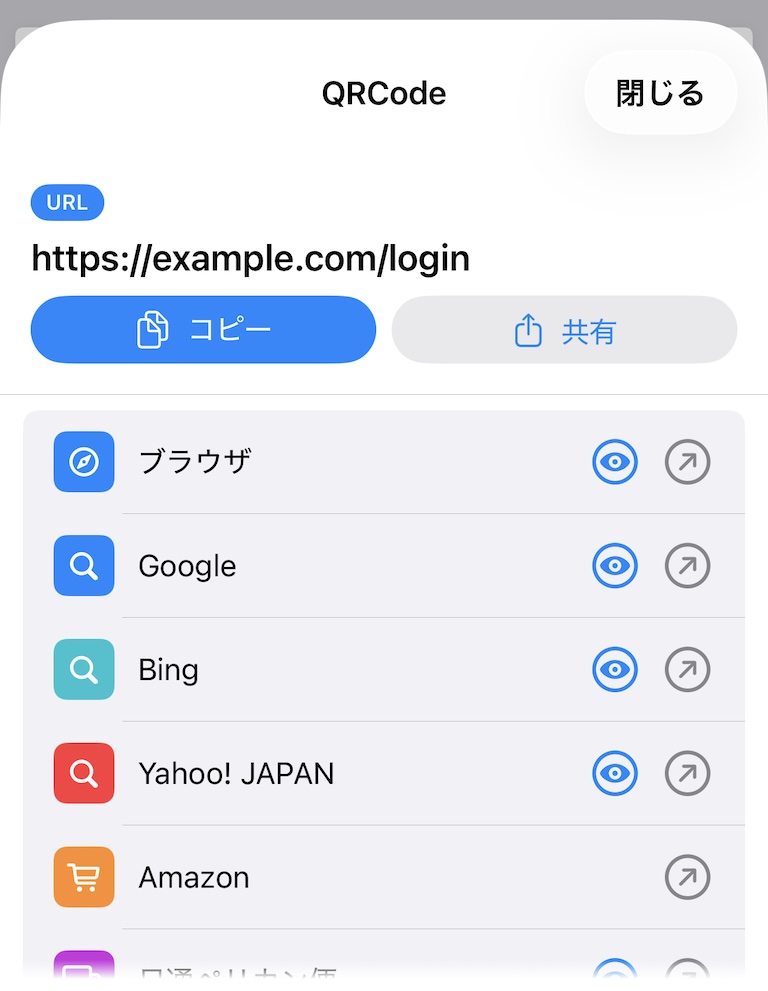 Scan result details
Copy, Share, and Export to Excel or CSV
Scan results can be copied and pasted into notes or management sheets. They can also be shared with other apps, such as messages, email, or cloud storage.
When you want to handle scan history as a list, exporting to Excel or CSV is useful. Product codes, tracking numbers, and equipment numbers are easier to organize in a table.
A barcode reader with history makes it easier to review scan results later on iPhone.
Learn more about Barcode Reader X
Related guides: